BASIC PRINCIPLES GRAPHIC AND LAYOUT
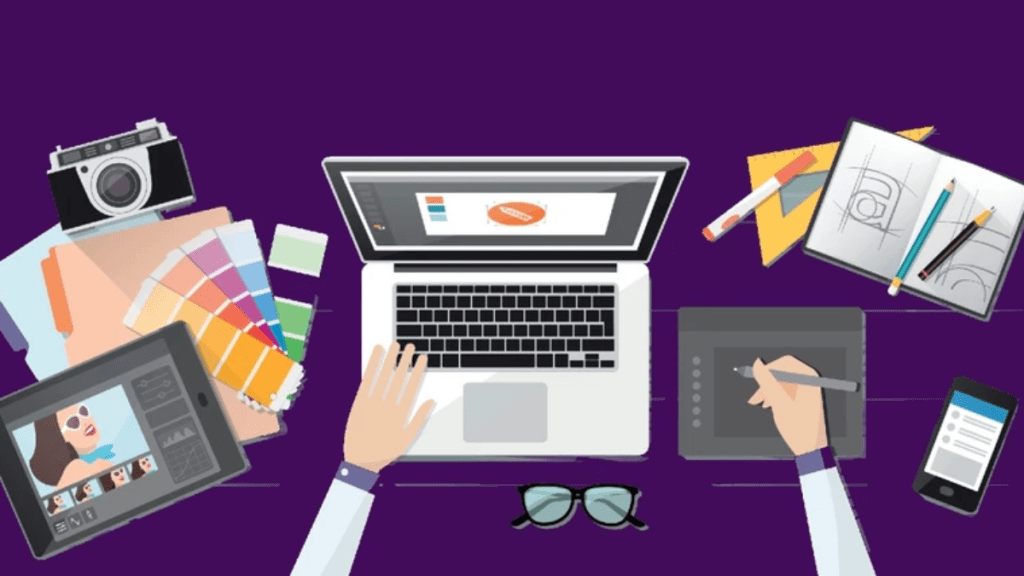
Pattern Repetition – Repetition refers to Rhythm one object or shape repeated , pattern is a combination of elements or shape repeated in a recurring and regular arrangements rhythm is a combination of elements repeated , but witj variations.
Proportion – is the relationship of two or elementsin design and now they compare with one another.
Graphic- to attract your audience .
Layout -alignment or arrangement Allignment
.equal spacing .proportion.Congruent
Hierarchy . Biggest to smallest . smallest to biggest
Contrast – background lighter the text
Balance – provide stability and structure to design . lts the weight distributed in the design by the placement of your elements.
The elements dont necessarily need to be of the same size . Balance can be achieve by placing a large elements on one side of your design and several small elements on the other side.
Graphic- artistic way of communication ideasand message through
Visual expression using text, images and symbol . Websites,ads,
Poster, fliers,vid ,logo ,multimedia forms.
Layout- contrast ,balace, pattern – term use as procers of organizing and arranging of the elements.
LESSON 2 : 2nd Quarter
Online lmages File Formats

Unlike images that are found in our computer, you have to consider that websites images should be more compressed because data travels over the internet connections,We have to use compressed images on our websites. Like wise even though a wide variety of websites already support high – definition(CHD) photo
<Joint photographics Expert Group-JPG/ jpeg support 16.7 millions dolars
<Graphic-lnterchange format at -GIF Animation/256 dolars
Movement – the use of lines, colors, values textures, forms and space to carry on direct the eye of the viewer form one part of the design or pictures to other is called movement .
<Fortable Networ Graphics – PNG Ping – is clear picture more than 16.7 million
Principle and basic technigue of image manipulation
Most of the time , we just capture an image and upload it our facebook account . From the Facebook does the rest by formatting our image to best fit the standard set by facebook .Personal websites do not necessarily have to downsize to File size of the images.
1.choose right file format
2.choose right images size
3.caption it
<Creating and Manupulating images using photoscape there are plenty of images manupulation tools but if you are going to create you have to use the one which because it is beginners and advanced user like .
Photo bucket- Html<hyper text mark up language
LESSON 3 lCT Online Platform

1. Social Media
2. web page Creation
3. GPS- global positioning
Mapping System Google Maps
lCT Online Platform – ls technologies that are grouped to be used as a base upan wlc other application process or technologies are developed.
4. Cloud Computing – Using remote servere posted on the computer
Example
1. Dropbox -lt files safe
2. Geole Drive
3. Storage
5.File Management -storing, naming surething,handling computer
Zamzar
Word 2PF
6. Presentation / Visualization
Prezi ,Canva, Google slide
CMS- Content Management System -Online published ,edit,manipulate create organize delete content.
Emphasis – The art of making a specific elements stand cut or draw attention to the eye. Emphasis can achieve in graphic
design by placing elements on page in position where eye is
naturally drawn , and by using
othere principles such as contrats, repetition,or movement .
Example OF CMS
Blogsites, wordpress,blogger
LESSON 4 Online Collaborative TOOLS

WYSIWYG – what you see is what you get
HTML – is the coding language
Step 1: Open Microsoft word
Step 2 : Encod ex.hello welcome to my websites and insert a image
Step 3 : Go to file and save as
. File name : website examples
. File type change website file HTML. Web page
. Locate your file and open as browser then, you can edit and cliack represh
Online collaborative ict – this action and results
Tools
1. Facebook
2. Google suite
. google drive, google slide , G Form, Google classroom , excell sheets
3. Microsoft team – chat ,vedio meeting , application integration
4. Dropbox – realiable file sync
5. Lark ,combines , collaboration
Tools , calendar creation, cloud storage
6. Trello- chucking for your team
7. WordPress
THE ADVANTAGES OF ONLINE COLLABORATIVE TOOLS
Online collaborative tools provide real-time access to information, making is easier for team members to work together on project without delay.The advantages of using these tools
– Increased productivity between team members
– Better communication between team members
– Easier access to files and documents
– Improved project management capabilities
– Cost saving
DISADVANTAGE OF ONLINE COLLABORATIVE TOOLS
– Patential for miscommunication online communication can sometimes lead to misunderstanding, as non-verbal are often absent.
– Over-reliance on technology: Excessive dependence on online collaboration tools can make it challenging to adapt when technical issues Aries.

 Lesson 1 Second Quarter